

Start your seamless migration to
Datto RMM today
Migrating from VSA 9 to Datto RMM isn’t just a step forward, it’s essential to keep your business secure, efficient, and ready for the future. Upgrade your operations with the modern UI, next-gen automation powered by AI, the power of the Kaseya 365 ecosystem, and 200+ integrations.
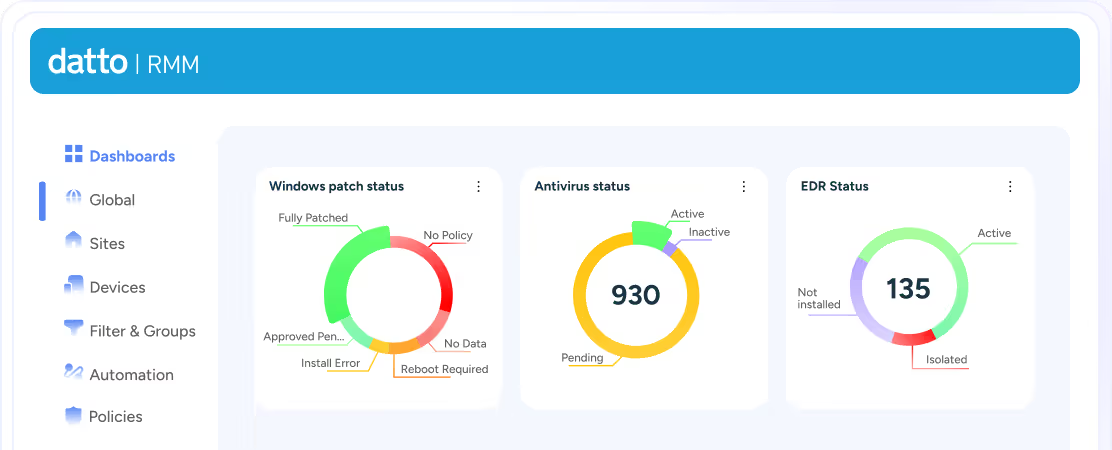
Here’s what you get with Datto RMM
Manage, monitor, and secure every endpoint from a single, modern platform, built as the long-term foundation for Kaseya’s unified endpoint management ecosystem. Move beyond legacy limitations with a platform designed for continuous innovation, embedded AI insights, and scalable automation.
Datto RMM is built with a security-first architecture and designed to protect against today’s evolving threat landscape. As part of Kaseya’s unified platform, it delivers end-to-end security, ransomware detection, and compliance-ready infrastructure (FIPS 140-3 alignment coming soon).
With 99.99% availability and no hardware to maintain, you gain resilient, cloud-first protection across your entire environment.
- Real-time threat detection and response: Continuously monitor and secure endpoints with automated remediation.
- Faster security execution: Eliminate delays from manual patching and updates.
- Multi-layered protection: Native ransomware detection plus integrations with leading security vendors
Deep integrations with leading solutions, including Datto AV/EDR, Dato Endpoint Backup, Bitdefender GravityZone, Sophos Central, Trend Micro, Arctic Wolf (Aurora), and more, for comprehensive, multi-layered protection, enabling a fully orchestrated security posture.
Datto RMM delivers on the vision of a true Unified RMM, enabling you to manage endpoints, users, and devices from a single interface.
Manage desktops, servers, Macs, network devices, Intune devices, and Microsoft 365 users — all in one place.
With built-in Microsoft 365 and Intune integrations, execute key MDM actions (lock, wipe, sync, retire) directly from user profiles, simplifying endpoint and user lifecycle management.
Automated reporting and full visibility: Gain complete visibility into endpoints and users with automated reporting that keeps stakeholders informed and reduces manual effort.
Datto RMM is built to support modern, multi-tenant IT environments at true enterprise scale.
- Manage 80,000+ endpoints with consistency within a single Datto RMM instance, eliminating the need to split environments or manage multiple systems.
- Consolidate multiple VSA 9 instances into a single, unified platform.
- Eliminate operational complexity from managing multiple URLs, fragmented reporting, and siloed environments.
- Leverage 200+ integrations across security, backup, PSA, and documentation.
All core capabilities, monitoring, automation, patching, remote control, and reporting, are centralized in one scalable, high-performance solution.
Explore 500+ prebuilt automations to streamline patching, remediation, and seamless integration with leading security solutions.
Datto RMM combines AI-driven insights with powerful automation to reduce manual work and increase operational efficiency.
- Access 500+ prebuilt automation components.
- Automate patching across Windows, Mac, and Linux.
- Enable auto-remediation for common IT issues.
Business impacts:
- Reduce downtime with proactive remediation
- Increase team productivity with fewer manual tasks (make technicians 50% more efficient).
- Lower operational costs through automation
- Support lean IT teams without sacrificing performance
Detailed patch reporting helps demonstrate compliance and value to customers.
You can count on Datto’s 24/7 technical support team, robust knowledge base, regular educational and Product Innovation webinars and in-person events, and active community forums to find the answers you need.
Datto RMM is ready with unified login via KaseyaOne, integrated billing, and Kaseya 365 integrations that covers everything from backup and IT documentation to PSA and cyber security. Learn more about Kaseya 365.
Start here!
Migrate to Datto RMM
Hundreds of VSA 9 customers have already migrated to Datto RMM.
Start here and Request Your Migration to Datto RMM.
Once you start your VSA 9 migration process, a new Datto RMM instance will be prepared at no additional costs. The same number of licenses in VSA 9 will be provided in your new Datto RMM instance.
Once your new Datto RMM environment is set up, the Migration process can start from VSA 9. The migration process supports SaaS to SaaS, and On-Prem to SaaS.
Note: Your VSA 9 instance will be accessible and unchanged during the migration process until all configuration is complete on Datto RMM. It will remain fully operational until you notify us that the Datto RMM upgrade was complete.
The Datto RMM agent will co-exist with the VSA 9 agent, providing a stress-free migration of customers rather than one large migration event.
Check with your Account Manager to understand what onboarding and support options are available for your migration.
Our teams can assist with validating your setup, ensuring your data, devices, and automation components are properly configured for success.
Once you are fully operating in Datto RMM, and with your confirmation via email, your VSA 9 instance will be decomissioned.